


Solutions for the small guy.
The law of Murphy seems to hit hardest on servers as soon as physical access is no longer readily available. Searching for remote KVM solutions, preferably less than $1,000, doesn’t yield many options. That kind of access is still in the realm of commercial products like HP’s Lights Out and the limited options available are all priced at commercial levels, well out of reach of the small guy.
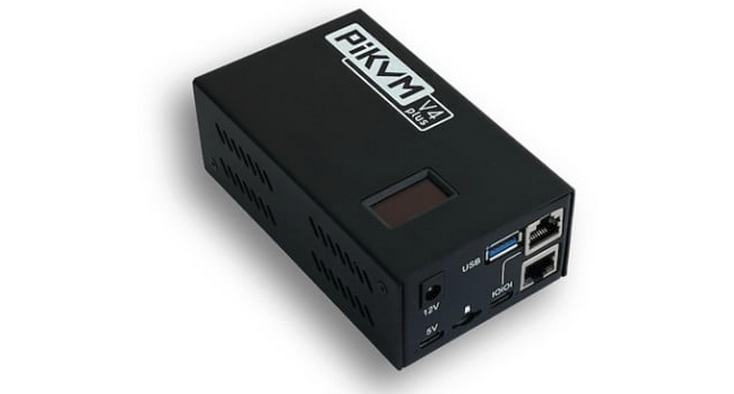
Surprisingly, there is an opensource solution using the Raspberry PI. They call it PiKVM and it is available as just software or pre-loaded hardware. This package comes with everything needed to connect a standard PC for remote access. A PCI slot connector plate with an Ethernet style jack is provided that has a set of connectors to loop between the motherboards switch pins. This provides access for reset, power, hard drive and power Leds. The actually PI comes with an additional connection port for the ATX cable and multiple HDMIs to allow screen throughput to a local monitor as well. Additionally, a USB connection cable is provided to serve as the keyboard and mouse inputs but doubles as the remote drive connection.
This is where things may or may not work depending on how old the motherboard is. Some older boards will not recognize the PiKVM keyboard and mouse at the Bios level. It will work once the OS has booted, but that doesn’t help with remote troubleshooting. There is an addition called the Pico HID that can be added to support PS/2 style keyboard and mouse if the board has those connections. Unfortunately, it is one or the other on the Pi – either PS2 or USB keyboard and mouse. Additionally the Pico HID must be purchased separately and assembled on your own.
This process is not terribly difficult, but does require a set of PS/2 cables that need to soldered to the Pico HID. Software isn’t an issue either as it is a simple drag and drop to the Pico with code provided. The whole thing might take just shy of an hour to set up and configure but it does work well enough to allow boot level control on older boards with PS2 keyboard and mouse support.
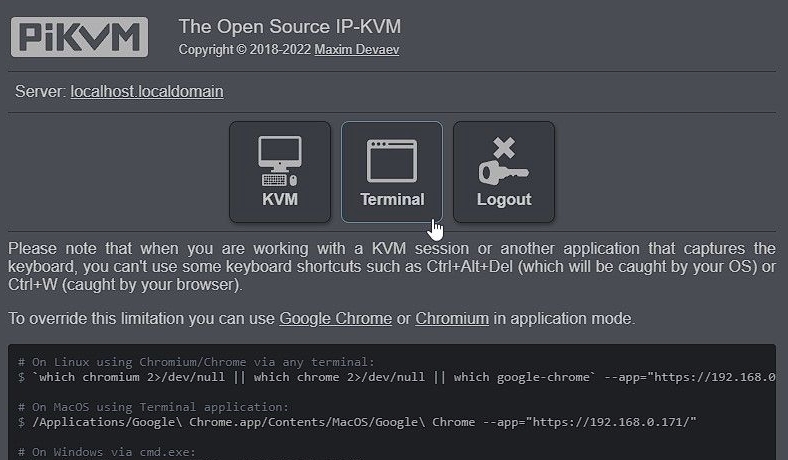
Setting up user accounts and general parameters of the PiKVM is straight forward. The Pi’s OLED display can be rotated or turned off with additional commands and multiple remote accounts can be added. PiKVM comes with the ability to mount remote drives just like standard industrial KVMs but this is one feature I have not personally tested.
This is hands down the best solution for small stand alone servers or PCs needing full remote Bios level access. It is a welcome addition and means fewer Murphy moments and a little more peace of mind knowing most low level issues can be looked at from a far.