


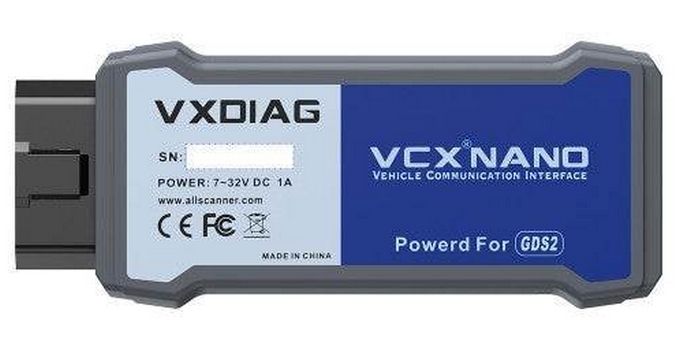
More economical than the purchase of a Tech2, the VXDiag VCX Nano was a promising alternative. At $100, it certainly comes in for a lot less. Of course, you do need to have some time, wits, and free hardware to install required software. The package doesn’t come with, but rather it needs to be downloaded.
Requirements for the device are modest, but for Tech2 use, it will need to be run on a physical machine. Tech2Win software does a virtual machine check and will simply not connect otherwise – unless you find a hacked version somewhere. An older laptop easily meets basic requirements and for OS, I chose Windows 10 64 bit Home. VXDiag has links to their software and although many choices appear, the VXDiag 2024.05.08 package was the only requirement to get up and running. It contains Tech2Win, GDS2, and VXManager. Order of install seems to matter and installing Tech2Win first, then GDS2, and finally VXManager was the most trouble free order.
Before installing, however, AV and Windows Defender features need to be turned off. If left on, GDS2 software will fail to install correctly. When installing VXManager, I chose to check off GM and Passthru right away which seemed to be best. Once installed I chose not to open it or the website. At this point the device was plugged in and recognized as a com port and I then verified it by opening up VXManager. The device had the latest firmware and showed GM and Passthru available. Next, I ran Tech2Win which asked for vehicle type. In this case it began with American followed by the year, vehicle, and model. The software went on to offer two options for device connection. The first one worked for me, while the second didn’t though both were listed as Bosch devices.
Navigation to the various vehicle systems was easy. Brake relearn was found in the Body Control Module and was called BPP. It only took a moment to run it and reset the resting position. I chose to watch live brake pedal action as verification after this was complete. For fun, I did explore all the other modules looking for problems and reports. Most of the systems were good with the exception of park assist which reported one bad sensor – at least now I know which sensor.
The VXDiag VCX Nano is a good alternative for budget Tech2 usage. From what I did read, reprogramming work on the vehicle would require a subscription with GM and that aspect wasn’t tested. For normal diagnosis, resetting, and relearning, it certainly beat the garage prices and avoided stories of more broken things needing repair.